


Ways To Listen
Listen Live
On WXPN Now
Check the program guide for today's shows and hosts.
On-Air Playlist
View All PlaylistOther ways to listen
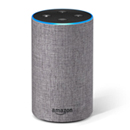
Amazon Echo and Alexa
“Alexa, play WXPN”
Plays the live broadcast through TuneIn. Enable the WXPN skill for podcasts and archived shows.

Google Home and Nest
“Hey Google, play WXPN”
Plays the live broadcast through TuneIn on any Google speaker or display.

Apple Music, Siri and HomePod
“Hey Siri, play WXPN”
In Apple Music, search for WXPN and choose NPR Music – WXPN Philadelphia.
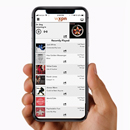
WXPN app
Free on iPhone and Android
Both streams, plus the concert calendar, music news and playlists.
Become a member
WXPN is a nonprofit supported by its listeners. Give $10 a month or $120 a year to become a member and receive member benefits.
Audio archives
Recent episodes of XPN’s shows are on the Schedule page. Pick a show, choose the air date and press play. Episodes play in the site player, so you can keep browsing.
Questions
Something not working? Contact us and tell us which device you’re using.
How do I switch between WXPN and XPN2?
Press Play WXPN or Play XPN2 on this page, or use the switch in the player at the top of any xpn.org page. The WXPN app has both streams too.
Can I listen to a show I missed?
Yes. The audio archives on the Schedule page have recent episodes of World Cafe, Sleepy Hollow, Free At Noon and other shows, listed by air date.
Alexa plays the live stream. How do I hear archived shows?
“Alexa, play WXPN” starts the live broadcast through TuneIn. To hear podcasts and archived shows, enable the WXPN skill in the Alexa app.
How do I find WXPN in Apple Music?
Search for WXPN and choose NPR Music – WXPN Philadelphia. On HomePod, ask Siri to play WXPN.